Fix P1220: Throttle Position Sensor A Circuit High Input – Trust iCarsoft CR Eagle
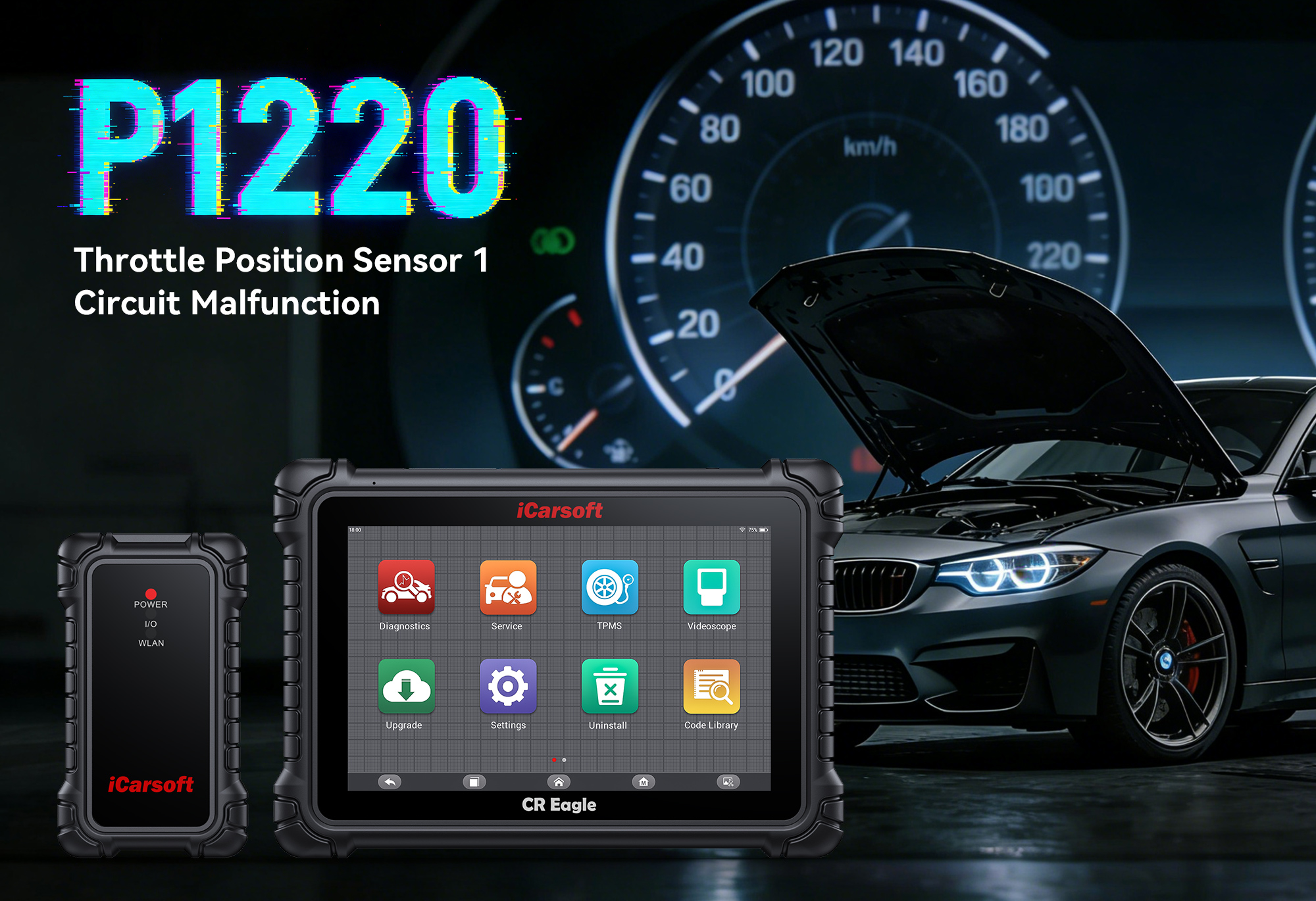
If your check engine light flashes on and you experience reduced power, hesitation during acceleration, or even engine stalling, your diagnostic tool may retrieve P1220. This trouble code points to a critical issue with your vehicle’s Throttle Position Sensor (TPS) or Throttle Control Module—specifically a “Throttle Position Sensor A Circuit High Input” malfunction. The TPS communicates throttle position data to the Engine Control Unit (ECU), and a high input signal disrupts the ECU’s ability to adjust fuel injection and ignition timing. Ignoring P1220 can lead to severe engine performance issues, increased fuel consumption, and potential damage to other components. In this guide, we’ll break down P1220, its causes, and how the iCarsoft CR Eagle—an OE-level diagnostic tool—helps you resolve it efficiently.
What Exactly Is Fault Code P1220?
P1220 is a manufacturer-specific OBD-II trouble code most commonly defined as “Throttle Position Sensor (TPS) A Circuit High Input”. Key details to understand:
-
The TPS is a sensor mounted on the throttle body that monitors the position of the throttle plate (open, closed, or partially open) and sends voltage signals to the ECU.
-
A “high input” means the ECU detects a voltage signal from the TPS that exceeds the normal operating range (typically 0.5V to 4.5V, depending on the vehicle).
-
This indicates a disruption in the TPS circuit—either the sensor is sending an abnormally high signal, or there’s a wiring/connection issue causing false high readings.
-
P1220 applies to 1996+ OBD-II compliant vehicles with electronic throttle control systems, including popular makes like Ford, Toyota, Honda, BMW, Mercedes-Benz, and VW.
Why Does P1220 Happen? Common Causes
To fix P1220, identify the root cause first. Here are the most frequent triggers:
-
Faulty Throttle Position Sensor (TPS): Internal electrical failure or wear causes the sensor to send consistently high voltage signals.
-
Wiring or Connector Issues: Frayed, shorted, or corroded wires, or loose connectors between the TPS and ECU, create a high-resistance circuit.
-
Throttle Body Contamination: Carbon buildup on the throttle plate or TPS sensing element interferes with signal accuracy.
-
Faulty Throttle Control Module: Malfunction in the module that regulates TPS operation leads to incorrect signal transmission.
-
Poor Electrical Ground: A weak or damaged ground connection disrupts the TPS circuit’s voltage stability.
-
ECU Malfunction: Rarely, a faulty ECU misinterprets the TPS signal, leading to a false P1220 code.
-
Damaged Throttle Linkage: Mechanical issues with the throttle linkage (e.g., binding) force the TPS into an abnormal position.
Symptoms of P1220
P1220 often presents noticeable and disruptive symptoms, including:
-
Illuminated check engine light (primary indicator).
-
Reduced engine power or “limp mode” (ECU limits power to protect the engine).
-
Hesitation or delay when pressing the accelerator.
-
Rough idling or engine misfires.
-
Increased fuel consumption due to incorrect fuel-air mixture.
-
Engine stalling (especially at low speeds or during acceleration).
-
Inability to reach normal operating speed.
Why the iCarsoft CR Eagle Is Perfect for P1220
Basic scanners only read P1220, but the iCarsoft CR Eagle offers advanced features that simplify diagnosing and fixing the issue. Here’s why it stands out:
Full Throttle System Scans
Dives deep into the TPS circuit, throttle body, and ECU communication to pinpoint whether the issue is the sensor, wiring, or module.
Live Data Monitoring
Views real-time TPS voltage, throttle plate position, and ECU feedback to confirm if the signal is abnormally high.
Powerful Bi-directional Control
Sends commands to test the TPS and throttle control module—verifies if components respond correctly without disassembly.
Global Vehicle Coverage
Works with 58 major vehicle makes, including gasoline/diesel models and OBDI vehicles (with included adaptors like Benz38Pin and BMW20Pin).
Advanced Hardware
Features a 10.1-inch touchscreen, 4GB RAM + 128GB ROM, and dual-band Wi-Fi/Bluetooth for smooth wireless diagnostics.
ECU Coding & Adaptation
Reconfigures the ECU after TPS or throttle body replacement to ensure seamless compatibility and optimal performance.
Bonus Features
Built-in TPMS programming (with 4 sensors) and a videoscope to inspect throttle body contamination.
Lifetime Free Updates & Support
Stays compatible with new vehicle models and provides expert technical support.
How to Diagnose & Fix P1220 with the iCarsoft CR Eagle (Step-by-Step)
Diagnosing P1220 with the CR Eagle is straightforward, even for beginners:
Step 1: Connect the Tool
Plug the CR Eagle’s OBD-II cable into your vehicle’s port (under the dashboard). Use included OBDI adaptors for older models.
Step 2: AutoVIN Identification
The tool automatically retrieves your vehicle’s make, model, and VIN—no manual entry needed.
Step 3: Scan for Codes
Select “Full System Scan” or “Engine System Scan” to pull up P1220 and related codes (e.g., P0121 for TPS circuit range/performance).
Step 4: Check Live Data
Navigate to “Live Data” to monitor TPS voltage. A reading above the vehicle’s normal range (e.g., consistently above 4.5V) confirms a high input issue.
Step 5: Run Bi-directional Tests
Use the “Active Test” function to command the throttle plate to open/close. Monitor TPS voltage changes—no response indicates a faulty TPS or module; erratic changes point to wiring issues.
Step 6: Inspect Components
Use the CR Eagle’s videoscope to check for throttle body contamination. Inspect TPS wiring for damage and connectors for corrosion.
Step 7: Repair or Replace Parts
Clean the throttle body (if contaminated), replace the faulty TPS, repair wiring/connectors, or reset the throttle control module.
Step 8: Clear the Code & Verify
Use the CR Eagle to erase P1220, take a test drive, and re-scan to ensure the code doesn’t return. Use ECU adaptation to calibrate the new TPS.
FAQs About P1220 & the iCarsoft CR Eagle
Can I drive with P1220?
Driving with P1220 is risky—reduced power and stalling can lead to accidents. Diagnose and fix it immediately with the CR Eagle to avoid further damage.
Will the CR Eagle work with my car?
Yes! It supports 58 major vehicle makes and all 1996+ OBD-II compliant vehicles with electronic throttle control systems. It also works with OBDI models using included adaptors.
Do I need mechanical experience to use the CR Eagle?
No! Its 10.1-inch touchscreen, AutoVIN function, and clear prompts make it user-friendly for DIYers. Lifetime technical support is available if you need help.
Can the CR Eagle distinguish between a faulty TPS and wiring issues?
Absolutely. Live data shows if voltage is consistently high (faulty TPS) or erratic (wiring issues). Bi-directional tests confirm if the TPS responds to commands.
Do I need to replace the TPS, or can I clean it?
The CR Eagle’s live data and videoscope help you decide—cleaning works for contamination; replacement is needed for electrical sensor failure.
Is the CR Eagle better than a basic scanner for P1220?
Yes. Basic scanners only read codes, but the CR Eagle offers live data, bi-directional tests, and videoscope integration—helping you avoid unnecessary TPS replacements.
How often should I update the CR Eagle?
Update every 3–6 months via free Wi-Fi updates to ensure compatibility with new throttle control system designs and diagnostic algorithms.
Does the CR Eagle come with everything I need?
Yes! It includes an OBD-II cable, 4 OBDI adaptors, 4 TPMS sensors, a videoscope, and a carrying case—no extra tools required for P1220 diagnosis.
Final Thoughts: Don’t Let P1220 Ruin Your Throttle Control
P1220 is a warning that your throttle position sensor or control module is malfunctioning, putting your vehicle’s performance and safety at risk. The iCarsoft CR Eagle isn’t just a tool for fixing P1220—it’s a comprehensive diagnostic solution that handles over 40 high-level service functions, making it a long-term investment for all your vehicle maintenance needs. Whether you’re a DIY enthusiast or a professional, the CR Eagle gives you the power to diagnose and fix P1220 right from your garage.
Invest in the iCarsoft CR Eagle today to tackle P1220 and hundreds of other codes—keep your vehicle running smoothly and safely.