Fix P2453: Ultimate Guide to DPF Pressure Sensor Low Input + iCarsoft CR Eagle Review
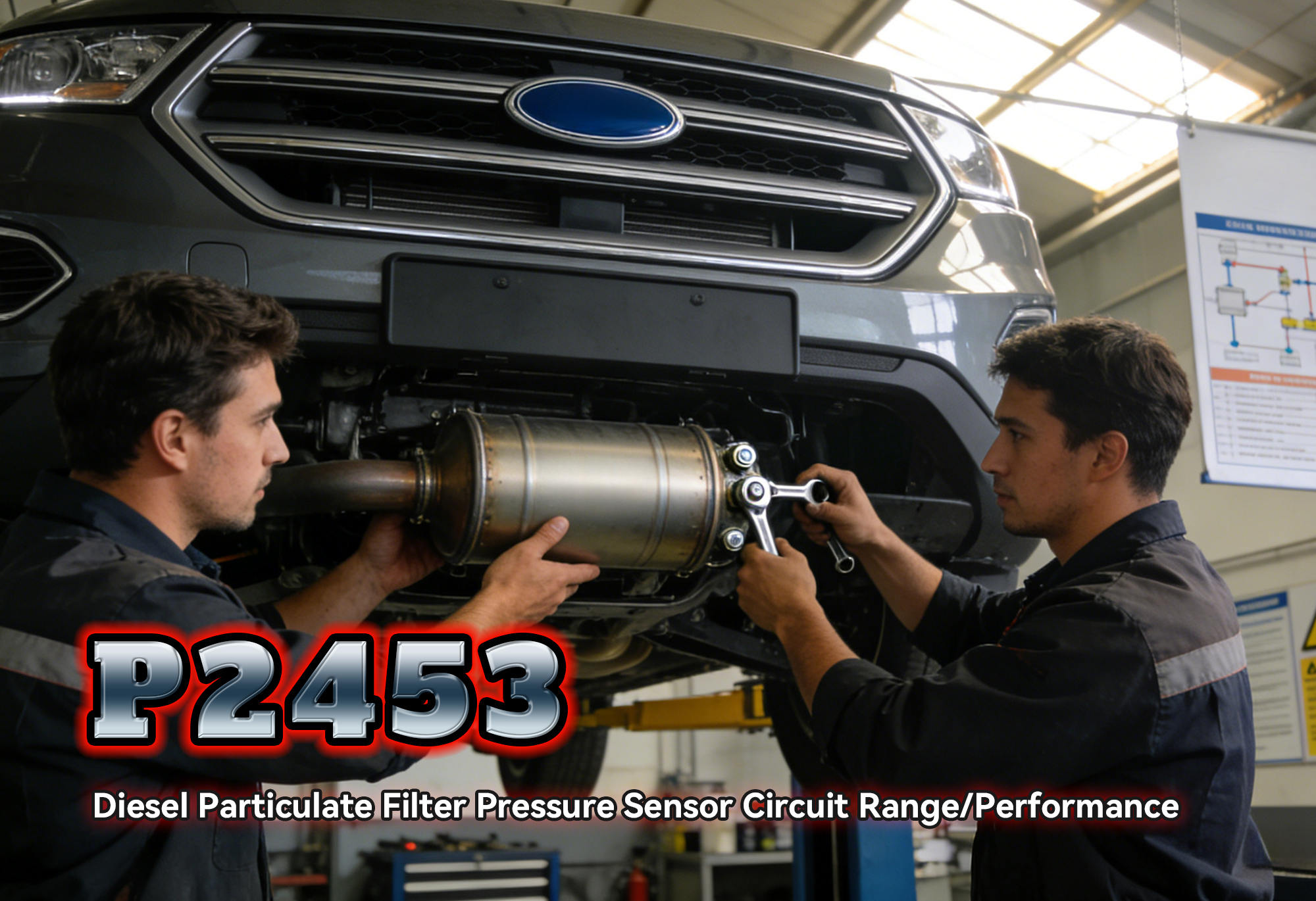
If you’re a diesel vehicle owner staring at the check engine light and scanning to find OBD2 code P2453, you’re dealing with a critical DPF-related issue that can’t wait. P2453 ties to your Diesel Particulate Filter (DPF) pressure sensor—an emissions component that keeps your engine compliant and efficient. Ignore it, and you’ll face limp mode, failed emissions tests, or even DPF damage.
But diagnosing P2453 doesn’t have to be a nightmare (or a costly dealership visit). In this guide, we’ll break down P2453 in plain English: what it means, why it happens, red-flag symptoms, and how the iCarsoft CR Eagle diagnostic tool simplifies troubleshooting for DIYers and mechanics. Plus, we’ll share real customer reviews, 8 FAQs, and show you how to fix P2453 at home. Let’s get your diesel back on track!
What Is OBD2 Code P2453?
P2453 is a standard OBD2 diagnostic trouble code defined as “Diesel Particulate Filter (DPF) Pressure Sensor A Circuit Low Input”. Your vehicle’s DPF pressure sensor measures the pressure difference across the filter—this tells the Engine Control Unit (ECU) how much soot is trapped.
When the sensor sends an abnormally low voltage signal (or no signal) to the ECU, P2453 is triggered. This usually points to a faulty sensor, damaged wiring, or a clogged DPF—all issues that disrupt emissions control and engine performance.
Top 5 Causes of P2453
-
Faulty DPF Pressure Sensor: The #1 culprit—sensors degrade over time from heat, soot, and vibration.
-
Damaged Wiring/Connectors: Corrosion, fraying, or loose connections between the sensor and ECU.
-
Clogged DPF Pressure Ports: Soot or debris blocks the sensor’s ports, preventing accurate pressure readings.
-
DPF Overload: Excess soot buildup (from short trips or low-speed driving) skews sensor data.
-
ECU Malfunction: Rare, but outdated firmware or a faulty ECU can misinterpret sensor signals.
Common Symptoms of P2453
Don’t wait for the check engine light—watch for these warning signs:
-
Illuminated check engine light (MIL) or DPF warning light.
-
Reduced engine power (limp mode) to protect the DPF.
-
Poor fuel efficiency (soot buildup forces the engine to work harder).
-
Failed DPF regeneration (the filter can’t self-clean).
-
Emissions test failure (a dealbreaker for road legality in most regions).
Why the iCarsoft CR Eagle Is the Best Tool for P2453
Basic OBD scanners can read P2453, but they can’t access DPF-specific data or perform regeneration. The iCarsoft CR Eagle is built for diesel vehicles, giving you professional-grade tools to diagnose and fix P2453 from home.
Key Features That Solve P2453:
DPF-Specific Diagnostics
Reads P2453 and detailed subcodes, plus provides clear descriptions (e.g., “Sensor A Low Input”) to pinpoint issues.
Live Data Streaming
Monitors real-time DPF pressure values to confirm if the sensor is faulty or the DPF is clogged.
DPF Regeneration Control
Triggers forced regeneration (after fixing the sensor) to clear soot—no dealership tools required.
Multi-Brand Compatibility
Works with 50+ global brands (Ford, VW, BMW, Mercedes, Toyota, Hyundai, and more).
Intuitive 5-Inch Touchscreen
AutoVIN identification auto-detects your vehicle’s make/model/year, and step-by-step prompts guide beginners.
Lifetime Free Updates
Stays compatible with new diesel models and updated DPF technology.
Pro Tip: The CR Eagle doesn’t just clear P2453—it lets you verify the fix with live data, ensuring the sensor and DPF work correctly long-term.
8 FAQs About P2453 & the iCarsoft CR Eagle
1. Can I Drive With P2453?
Short trips (under 10 miles) are safe, but long drives risk limp mode or DPF damage. Fix it promptly.
2. How Much Does It Cost to Fix P2453?
A DPF pressure sensor costs $40–$180 (parts). DIY labor is free with the CR Eagle—dealership repairs cost $300–$800.
3. Will the CR Eagle Work With My Diesel Vehicle?
The CR Eagle covers 50+ brands, including European, American, and Asian models. Check the official compatibility list for your make/model/year.
4. How Do I Use the CR Eagle to Diagnose P2453?
-
Plug the tool into your vehicle’s OBDII port (under the dashboard).
-
Turn on the ignition (don’t start the engine).
-
Select “Engine System” → “Read DTCs”—the tool displays P2453 and a description.
-
Go to “Live Data” to monitor DPF pressure—low/erratic readings confirm the issue.
5. Can the CR Eagle Clear P2453 Permanently?
Yes! After fixing the root cause (e.g., replacing the sensor), select “Clear DTCs” to erase P2453. Test drive to confirm no reoccurrence.
6. Do I Need Mechanical Experience to Use the CR Eagle?
No—its intuitive interface, AutoVIN, and multilingual support (15 languages) make it beginner-friendly.
7. What If P2453 Comes Back?
If the code returns, the root cause (e.g., clogged DPF or damaged wiring) wasn’t fixed. Use the CR Eagle’s live data to troubleshoot further.
8. Does the CR Eagle Offer Other DPF Functions?
Yes—beyond P2453, it can perform DPF ash reset, component replacement teach-in, and soot load monitoring.
Final Thoughts: Don’t Let P2453 Cost You Hundreds
OBD2 code P2453 is a warning sign— but with the iCarsoft CR Eagle, you don’t have to rely on expensive dealerships. This tool gives you professional DPF diagnostics and repair capabilities at a DIY price, saving time, money, and frustration.
Whether you’re a casual diesel owner, DIY hobbyist, or mechanic, the CR Eagle’s durability, multi-brand coverage, and lifetime updates make it a long-term investment. Fix P2453, keep your DPF healthy, and stay emissions-compliant—all with one tool.
Ready to tackle P2453 head-on? Click below to get the iCarsoft CR Eagle and get your diesel back in top shape!
Have questions about P2453 or the CR Eagle? Drop a comment below—we’re here to help!
Disclaimer: This guide is for informational purposes only. Always consult your vehicle’s owner’s manual or a certified mechanic before major repairs. iCarsoft is not responsible for damage from improper tool use.